
In summary:
- Your aging machinery is likely the source of hidden inefficiencies, directly impacting your Overall Equipment Effectiveness (OEE) scores.
- Instead of a costly “rip and replace,” a pragmatic “surgical retrofit” with low-cost sensors can solve specific problems and deliver a quick ROI.
- A phased rollout, starting with data collection in ‘shadow mode,’ is the key to integrating smart technology without disrupting production.
- For UK manufacturers, especially those with unreliable internet, an Edge-first computing strategy offers superior resilience and security for critical operations.
That 20-year-old CNC machine or the bottling line from the late 90s. It’s the workhorse of your factory floor. You know its every groan and shudder. Management talks about “Industry 4.0” and “digital transformation,” but the budget for a full-scale replacement is a fantasy. You’re under constant pressure to sweat these assets, to squeeze every last drop of productivity out of them. The common advice is to “collect more data” or “move to the cloud,” but that feels abstract and risky when you’re worried about hitting this week’s production targets.
These approaches often miss the reality of the factory floor in places like Northern England: tight budgets, a mix of equipment from different decades, and industrial estate broadband that can’t always be trusted. But what if the goal wasn’t a grand “transformation” but something far more practical? What if the key wasn’t about replacing the old workhorse, but giving it a modern-day stethoscope? This is the essence of digital pragmatism: using targeted, low-cost technology to solve specific, expensive problems you already have.
This article provides a no-nonsense roadmap for production managers. We won’t talk about futuristic hypotheticals. We’ll walk through the practical steps of identifying your biggest operational blind spots, installing the right sensors without stopping the line, choosing the right data architecture for resilience, and securing it all against modern threats. It’s about making your existing machinery smarter, not just newer, and proving the value in a single quarter.
This guide breaks down the process into a logical sequence, from identifying the initial problem to optimizing your entire production schedule with AI. The following summary provides a clear overview of the key stages we will explore, allowing you to navigate directly to the topics most relevant to your current challenges.
Summary: A Pragmatic Guide to Retrofitting Legacy Equipment
- Why ‘blind’ machinery is causing a 15% dip in your OEE scores?
- How to install vibration sensors on 1990s motors in under 2 hours?
- Cloud vs Edge computing: which is safer for UK manufacturers with slow internet?
- The cybersecurity gap in retrofitted PLCs that hackers exploit
- When to switch on: the optimal sequence for integrating live sensor data
- How to train an AI model to predict machine failure from historical logs?
- Vibration analysis vs Ultrasound: which detects bearing faults earlier?
- Industrial AI Scheduling: How to Optimise Production Runs and Reduce Changeovers?
Why ‘blind’ machinery is causing a 15% dip in your OEE scores?
Overall Equipment Effectiveness (OEE) is the gold standard for measuring manufacturing productivity, but it’s only as good as the data you feed it. For many factories running legacy equipment, that data is incomplete. You track major downtime, but what about the silent killers of efficiency? Micro-stoppages, reduced speed, and minor quality defects often go unrecorded, creating a “blind spot” that masks the true performance gap. While a world-class OEE is around 85%, industry benchmarks show that the average OEE across discrete manufacturing is closer to 60%. That 25% gap isn’t just one problem; it’s a thousand tiny cuts.
‘Blind’ machinery is the primary culprit. When you can’t see why a line is running at 90% of its designed speed or what’s causing a two-minute jam every hour, you can’t fix it. These are not catastrophic failures; they are chronic inefficiencies that bleed profit over time. The operator might not even log a stoppage under five minutes, but aggregated over a year, those minutes translate into weeks of lost production. This lack of visibility means you’re fighting problems with assumptions, not facts. For example, Sugar Creek Brewing Co. saved $120,000 in a single year simply by gaining real-time visibility into temperature and pressure on their bottling line, allowing them to prevent foaming issues before they caused waste.
The first step in any surgical retrofit is to diagnose where these blind spots are. It’s not about blanketing your factory in sensors; it’s about identifying the one or two critical assets where a little bit of data would make a huge difference. Is it the motor on a critical conveyor? The packing machine that seems to have a “mood”? By quantifying the unknown, you move from reactive firefighting to proactive problem-solving, and you build a powerful business case for every sensor you install. This targeted approach is the foundation of digital pragmatism.
How to install vibration sensors on 1990s motors in under 2 hours?
The idea of adding sensors to decades-old equipment can sound daunting, suggesting complex wiring, shutdowns, and specialist contractors. The reality, especially for condition monitoring, is much simpler. Modern wireless vibration sensors are designed for exactly this scenario: a surgical retrofit that can be completed by your own maintenance team during a lunch break, without impacting production. The goal is to get a “stethoscope” on your most critical rotating assets—like motors, pumps, and fans—to listen for the earliest signs of trouble.
The process is straightforward and focuses on ensuring a clean signal. The key is proper surface preparation. The sensor needs a solid mechanical connection to the machine’s bearing housing to accurately transmit vibration data. This means cleaning a small patch of the mounting surface down to the bare metal, removing any paint, rust, or grease that could dampen the signal. The sensor can then be attached using a powerful magnetic mount for quick deployment or a specialised industrial adhesive for a more permanent fix. The entire physical installation for a single sensor often takes less than an hour.
This photograph shows the simplicity of the process: a technician installing a compact, wireless vibration sensor directly onto the bearing housing of an industrial motor. It highlights the non-invasive nature of modern retrofitting.
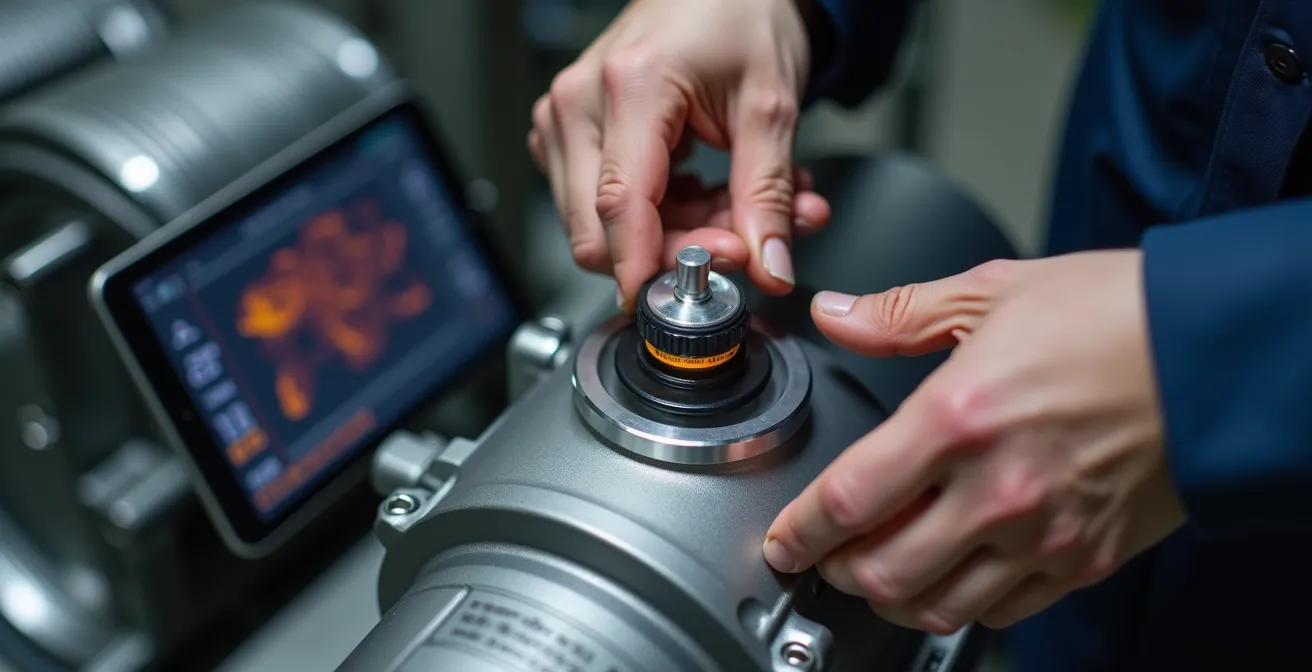
Once mounted, the sensor is paired with a nearby gateway, and you can immediately perform a “tap test”—a simple tap with a hammer near the sensor—to verify on a tablet or dashboard that it’s transmitting data. This entire procedure transforms an old, ‘blind’ motor into a smart, communicative asset. You now have a data source with a specific job: to tell you about its health in real-time. This isn’t a massive project; it’s a targeted, two-hour task that lays the first stone for a robust predictive maintenance program.
Here is a simple protocol for a zero-interruption installation:
- Clean the mounting surface: Use an industrial solvent to thoroughly remove paint, rust, and oil. This ensures proper signal transmission.
- Select mounting location: Choose a spot closest to the bearing load zone, avoiding cooling fins or loose panels which can distort readings.
- Attach mount: Use a magnetic mount for speed or apply industrial adhesive, respecting the manufacturer’s specified cure time.
- Mount the sensor: Ensure a consistent axis orientation for comparable data. It’s good practice to mark the X-axis to align with the drive shaft.
- Perform a ‘Tap Test’ validation: Gently tap near the sensor and verify that a real-time signal appears on your monitoring dashboard.
- Secure the cable: If the sensor is wired, use strain relief to prevent vibration-induced fatigue on the cable and connector.
Cloud vs Edge computing: which is safer for UK manufacturers with slow internet?
Once your new sensor is collecting data, the next question is: where does that data go? The two main options are Cloud and Edge computing. The Cloud offers immense processing power for deep analytics, but it has a critical weakness for many UK manufacturers: it depends entirely on a stable, high-speed internet connection. Sending raw, high-frequency vibration data from dozens of sensors to the cloud can be slow and expensive, and if your industrial estate’s broadband drops out, your monitoring system goes blind.
This is where Edge computing becomes the pragmatic choice. An Edge device, or gateway, is a small industrial computer located on your factory floor. It processes data locally, right at the source. Instead of sending every single data point to the cloud, it analyses the raw stream in real-time and only sends important information—like an alert or a summary—over the internet. This “Offline-First Resilience” is a game-changer. Your critical safety and monitoring systems continue to function perfectly even if the internet connection is down. For a UK production manager, this means you can guarantee millisecond response times for safety-critical tasks without worrying about external network latency.
A hybrid approach, however, often provides the best of both worlds. Use Edge computing for real-time control and immediate alerts, ensuring operational resilience. Then, send aggregated insights and historical data to the Cloud for long-term trend analysis and machine learning. This strategy significantly reduces the volume of data transmitted, cutting down on internet bandwidth and cloud storage costs. In fact, studies show that businesses leveraging a hybrid approach see an average of 35% latency reduction and 20% cost savings. The following table breaks down the key differences for a manufacturing context.
| Factor | Edge Computing | Cloud Computing | Hybrid Edge-First |
|---|---|---|---|
| Latency | 1-10ms local processing | 50-150ms round trip | Critical: 1-10ms, Analytics: 50ms+ |
| Internet Dependency | Works offline | Requires stable connection | Degrades gracefully offline |
| Data Volume Transmitted | Minimal (processed locally) | All raw data sent | Only aggregated insights sent |
| Safety-Critical Response | Millisecond response guaranteed | Network-dependent delays | Local safety, cloud optimization |
| Cost at Scale | Higher initial hardware | Pay-per-use model | Balanced investment |
The cybersecurity gap in retrofitted PLCs that hackers exploit
Connecting legacy equipment to your network opens a powerful new window into your operations, but it can also open a dangerous back door for cyber threats. Programmable Logic Controllers (PLCs) and other industrial devices manufactured in the 90s or 2000s were built for isolated, trusted environments. They were never designed to be connected to the internet, and as a result, most lack the fundamental security features we take for granted today, like encryption and authentication.
This creates a critical cybersecurity gap. When you bridge your operational technology (OT) network—the factory floor—with your information technology (IT) network—the corporate office—you expose these vulnerable devices. A hacker who gains access to a single, unsecured, retrofitted device could potentially move laterally across your network. As the experts at Promwad Engineering warn, this is a significant risk.
Legacy devices typically lack encryption or authentication. A compromised device can allow attackers lateral access to MES or ERP systems.
– Promwad Engineering, Retrofitting Legacy Industrial Equipment with IoT
The threat isn’t just data theft; it’s operational sabotage. An attacker could alter PLC logic to disrupt production, manipulate sensor readings to hide a developing failure, or trigger a complete shutdown. The key to mitigating this risk is treating any retrofitted system as untrusted by default. This involves a clear “handshake protocol” between your OT and IT teams, ensuring that new connections don’t compromise existing security postures. Network segmentation is the most critical principle: isolating your newly connected machinery on a separate virtual network (VLAN) prevents an intruder from using it as a launchpad to attack your core business systems.
Your Action Plan: The OT/IT Security Handshake Protocol
- Network Segmentation: Isolate all retrofitted devices and their gateways on a separate VLAN, completely firewalled from the corporate IT network.
- Authentication Hardening: Immediately change all default usernames and passwords on gateways, sensors, and any management software upon installation.
- Patch Management: Establish a documented schedule (e.g., monthly or quarterly) to review and apply firmware updates for all Edge gateways and network hardware.
- Port Control: Document every open network port on your industrial firewall. Disable any ports and services that are not absolutely essential for operation.
- Dedicated Monitoring: Deploy an intrusion detection system (IDS) that is specifically designed to monitor OT protocols like Modbus or OPC-UA for anomalous activity.
When to switch on: the optimal sequence for integrating live sensor data
You’ve installed the sensors, chosen your architecture, and secured the network. The temptation is to immediately switch on the alerts and start acting on the data. This is a common mistake that leads to “alarm fatigue,” where operators are flooded with alerts they don’t yet trust or understand, causing them to ignore the system altogether. A successful rollout is not a flip of a switch; it’s a phased process of building confidence in the data, a method known as ‘shadow mode’ implementation.
The first phase involves running the system in a ‘listen-only’ mode for several weeks. The sensors collect data, and the system learns the normal operating signature of your machine—its baseline vibration, temperature, and power consumption patterns. No alerts are sent to the operators during this period. The goal is purely to establish what ‘good’ looks like. This baseline is the foundation for all future anomaly detection; without it, you can’t possibly know if a deviation is significant or just normal operational variance.
After establishing a baseline, you move to the next phase: human-verified alerts. When the system detects an anomaly, it flags it for a maintenance engineer or a senior operator to investigate. The human expert validates whether the alert corresponds to a real-world issue (e.g., “Yes, that vibration spike happened right when the material feed changed”) or if it’s a false positive. This feedback loop is crucial for fine-tuning the alert thresholds. Only after the system has proven its reliability over several weeks of human validation should you switch to fully automated alerts. This gradual process ensures that by the time an operator receives an automated alert, they trust it represents a real, actionable issue.
Case Study: Phased Deployment Prevents a $15,000 Failure
A packaging plant deployed wireless vibration sensors on their labeling machines. After a four-week ‘shadow mode’ to establish baselines, they enabled human-verified alerts. A dashboard flagged high vibration on “Labeller B” one Tuesday afternoon. An operator investigated and found the culprit was a loose motor mount bolt. The crew tightened it in 20 minutes during their lunch break. Left unchecked, that small vibration was a symptom of a problem that would have eventually shattered the main shaft, costing an estimated $15,000 in parts and two full days of lost production. This single, early catch resulted in a 6% OEE jump for the quarter and built immense trust in the new system.
How to train an AI model to predict machine failure from historical logs?
Once you have a reliable stream of sensor data and a few months of historical logs, you can take the next step from condition monitoring to true predictive maintenance. This involves using Artificial Intelligence (AI), specifically machine learning models, to identify complex patterns in your data that signal an impending failure, often weeks or even months in advance. The goal is to move beyond simple thresholds (“alert me if vibration exceeds X”) to sophisticated pattern recognition (“alert me if you see this specific combination of vibration, temperature, and power draw, which has preceded a bearing failure in the past”).
The first step is data fusion and preparation. An AI model thrives on clean, structured data from multiple sources. This means taking your raw sensor readings and combining them with other relevant information you already have: maintenance logs from your CMMS, operator notes, production schedules from your ERP, and quality control data. This process transforms a chaotic mix of spreadsheets, paper logs, and disparate data streams into a single, unified dataset where each failure event is clearly labeled and contextualized.
This image conceptually shows the transformation from messy, unstructured paper maintenance logs on one side to clean, organized digital data streams and predictive dashboards on the other, symbolizing the power of AI to bring clarity from chaos.

With a clean dataset, you can train a machine learning model. This is typically a classification model (e.g., “will this machine fail in the next 7 days: yes/no”) or a regression model (e.g., “predict the remaining useful life in hours”). The model scours the historical data, learning the subtle signatures that precede different types of failures. For example, it might learn that a specific type of motor failure is preceded by a gradual increase in temperature, followed by a sharp spike in high-frequency vibration two weeks later. It’s a task that is impossible for a human to do across hundreds of assets, but it’s exactly what machine learning excels at.
Modern IIoT platforms are increasingly offering “auto-ML” tools that simplify this process, but the principle remains the same. You are teaching a system to recognize the ghosts of past failures in the patterns of present data. This is the essence of moving your maintenance strategy from reactive or even proactive (time-based) to truly predictive (condition-based).
Vibration analysis vs Ultrasound: which detects bearing faults earlier?
When setting up a condition monitoring program, two of the most powerful technologies for rotating equipment are vibration analysis and ultrasound. While they both aim to detect faults early, they “listen” for different symptoms and are effective at different stages of the P-F curve (the interval between a potential failure being detectable and the functional failure occurring). Understanding their respective strengths is key to a cost-effective surgical retrofit.
Ultrasound is your earliest warning system. It detects high-frequency sounds generated by friction and microscopic impacts. This makes it exceptionally good at identifying the very first signs of a problem, often related to lubrication. It can tell you when a bearing needs grease, or if it has been over-greased, long before any physical damage or measurable vibration occurs. It’s also highly effective on low-speed equipment (under 600 RPM), where vibration signals can be too weak to detect. The training is relatively basic, making it a great “quick win” technology for your maintenance team.
Vibration analysis is your diagnostic tool. Once a fault has started to cause physical degradation—like a microscopic crack or spall on a bearing race—it generates a distinct vibration signature. Vibration analysis can pick up these signatures and, with proper training, an analyst can diagnose the exact nature of the fault (e.g., inner race, outer race, cage defect) and its severity. This allows for precise planning of repairs. It excels on higher-speed equipment and provides a deeper level of diagnostic detail than ultrasound. However, it detects problems slightly later on the P-F curve than ultrasound does.
The best strategy is often to use both. Use routine ultrasound inspections to manage your lubrication program and catch the earliest signs of friction. When ultrasound detects an anomaly, follow up with vibration analysis to diagnose the specific problem and track its progression. This combined approach maximizes your detection window. As a matter of fact, organizations see a significant improvement, with studies suggesting that unplanned downtime can be reduced by 10-15% when using both ultrasound and vibration analysis together. The choice depends on your equipment, budget, and goals, as this table illustrates.
| Detection Stage | Ultrasound | Vibration Analysis | Best Application |
|---|---|---|---|
| P-F Stage 1-2 (Early) | Detects friction/lubrication issues | Limited detection | Ultrasound for greasing schedules |
| P-F Stage 3-4 (Mid) | Basic fault presence | Identifies specific defect type & severity | Vibration for diagnosis |
| Equipment Type | Low-speed equipment (<600 RPM) | High-speed rotating (>600 RPM) | Speed-dependent choice |
| Training Required | Basic (1-2 days) | Advanced spectral analysis (weeks) | Ultrasound for quick wins |
| Cost per Point | $50-100 | $150-300 | Budget-dependent |
Key Takeaways
- Start with the problem, not the technology. Identify your most costly operational blind spot and target it with a “surgical retrofit.”
- For resilience against unreliable internet, an Edge-first architecture is non-negotiable for critical monitoring and control on the factory floor.
- A phased ‘shadow mode’ rollout is the only way to integrate live data without causing alarm fatigue, building trust and ensuring user adoption.
Industrial AI Scheduling: How to Optimise Production Runs and Reduce Changeovers?
Having mastered predictive maintenance on individual machines, the ultimate goal of digital pragmatism is to scale that intelligence across the entire production line. This is where Industrial AI Scheduling comes into play. It moves beyond “when will this machine fail?” to answer a much more complex and valuable question: “what is the most efficient way to run my entire factory today?” This is the leap from asset-level optimization to system-level optimization.
Traditional production scheduling is often static, based on fixed run times and planned changeovers. Industrial AI creates a dynamic schedule that adapts in real-time. It takes inputs from your ERP system (customer orders, deadlines), your MES (current production status), and now, your newly-smart legacy equipment (real-time health scores, predicted time-to-failure). The AI can then calculate the optimal sequence of production runs to minimize changeover times, reduce energy consumption, and prioritize orders based on machine availability and health.
For example, imagine you have three orders for different products that all need to run on the same line. A human scheduler might run them in the order they were received. An AI scheduler might analyse the changeover complexity and determine that running them in a different sequence (e.g., from light-coloured product to dark) could save 45 minutes of cleaning time. Furthermore, if it knows from your predictive maintenance model that the motor on that line is showing early signs of wear, it might schedule shorter, less intensive runs to extend its life until the planned maintenance window, avoiding a catastrophic failure that would jeopardise all three orders. This is a level of multi-variable optimization that is impossible to achieve on a whiteboard or a spreadsheet.
This isn’t a futuristic fantasy; it’s the logical conclusion of the journey we’ve outlined. By giving your old machinery a voice with sensors, you create the data streams necessary to feed these advanced scheduling algorithms. You transform your factory from a series of isolated assets into a single, cohesive, intelligent system. The ROI is no longer just about preventing a single failure; it’s about adding percentage points to your entire plant’s throughput and efficiency.
By following this pragmatic, step-by-step approach, you can systematically upgrade your factory’s intelligence without the sticker shock of a full replacement. To begin applying these strategies and get a clearer picture of your own operational needs, the next logical step is to conduct a detailed assessment of your most critical assets.